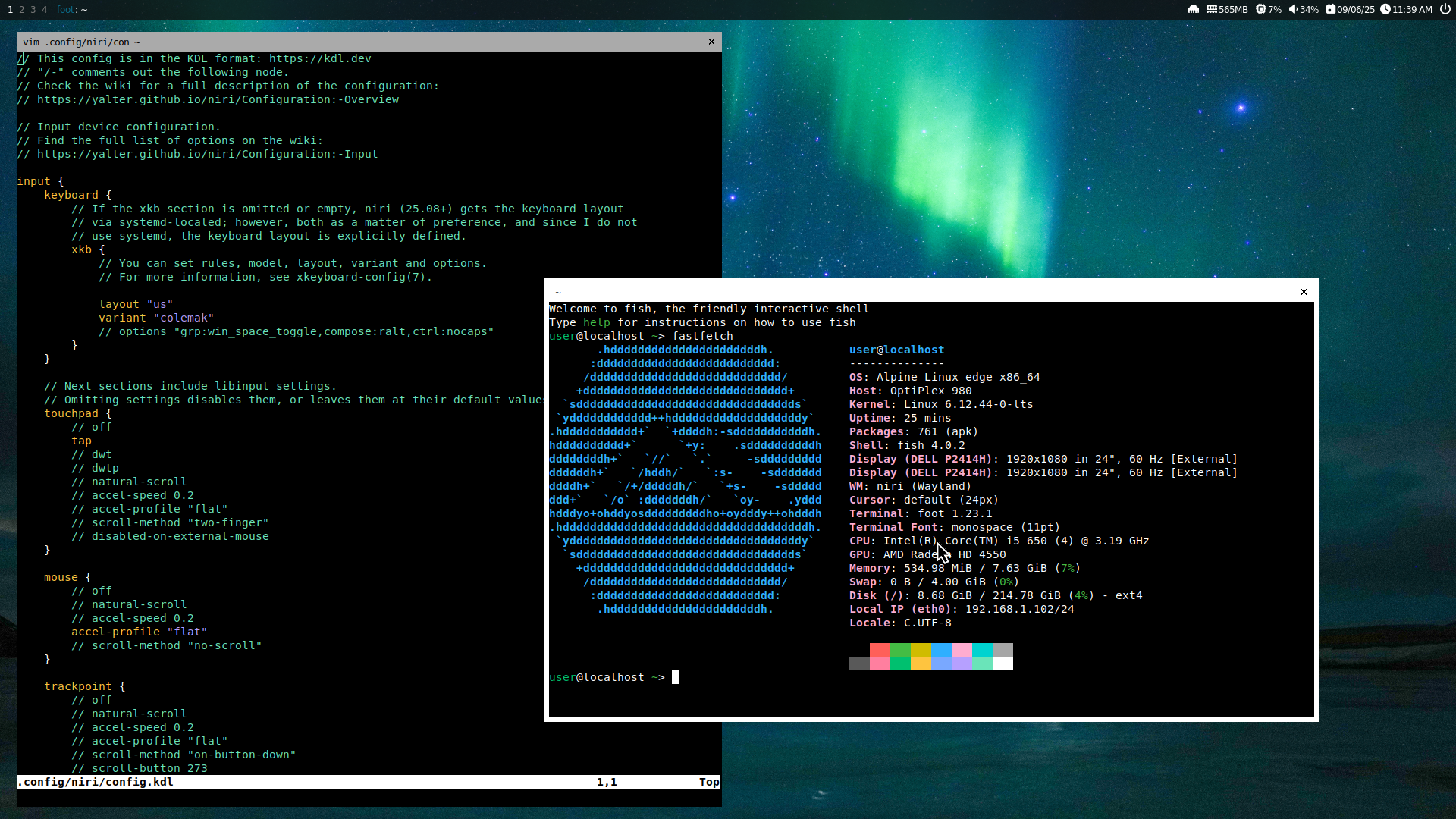
As I mentioned in my August 2025 summary, I switched to Alpine (Edge) after I messed up my Debian install trying to upgrade to Debian 13. This switch has been a long time coming, and the failed upgrade was an opportunity to finally move on.
While Debian is nice if you want an absolutely stable experience, that comes with the trade-off of packages in stable versions becoming heavily outdated, and while this means the available packages are battle-tested and have few bugs, I don't need my computer to be *that* stable. For the minor trade-off of a slightly less stable experience, using Alpine gives me access to much newer applications.
Since the setup section is quite long, it is in a separate page:
/blog/2025-09-06-switching-to-alpine/alpine-install/index.html
This is the major reason why I wanted to switch operating systems.
I don't remember exactly how I found out about Niri, but I think it was when I checked out the repo for PaperWM (a GNOME Shell Extension) and they suggested both Niri and Karousel (a KDE Plasma KWin script). I liked the idea, but since it was too inconvenient for me to switch at that moment, I stuck with using karousel on my laptop. I didn't use karousel on my desktop since I use multiple monitors, and karousel wasn't compatible.
This incident gave me the opportunity to finally use Niri seriously as my primary compositor, and it's been great. The config is around 95% done; I've worked on the config on my laptop before (by running Niri in a window), and I tweaked it a bit for my desktop (monitor configuration, adding some Alpine/OpenRC-specific things). I might change a few things at some point, but they'll be minor.
I don't think I could go back to a floating window manager now; the scrolling metaphor (and Niri in particular) is just that good.
I'm sticking with yambar, despite it no longer being maintained. I'm considering chocobar, but that seems to be equally unmaintained.
Waybar (recommended by Niri) is too bloated to me, and I couldn't figure out ironbar enough to switch (it also seems bloated).
awesome-wayland (particularly the widgets section in this case) is very helpful for deciding what to do next:
awesome-wayland widgets section
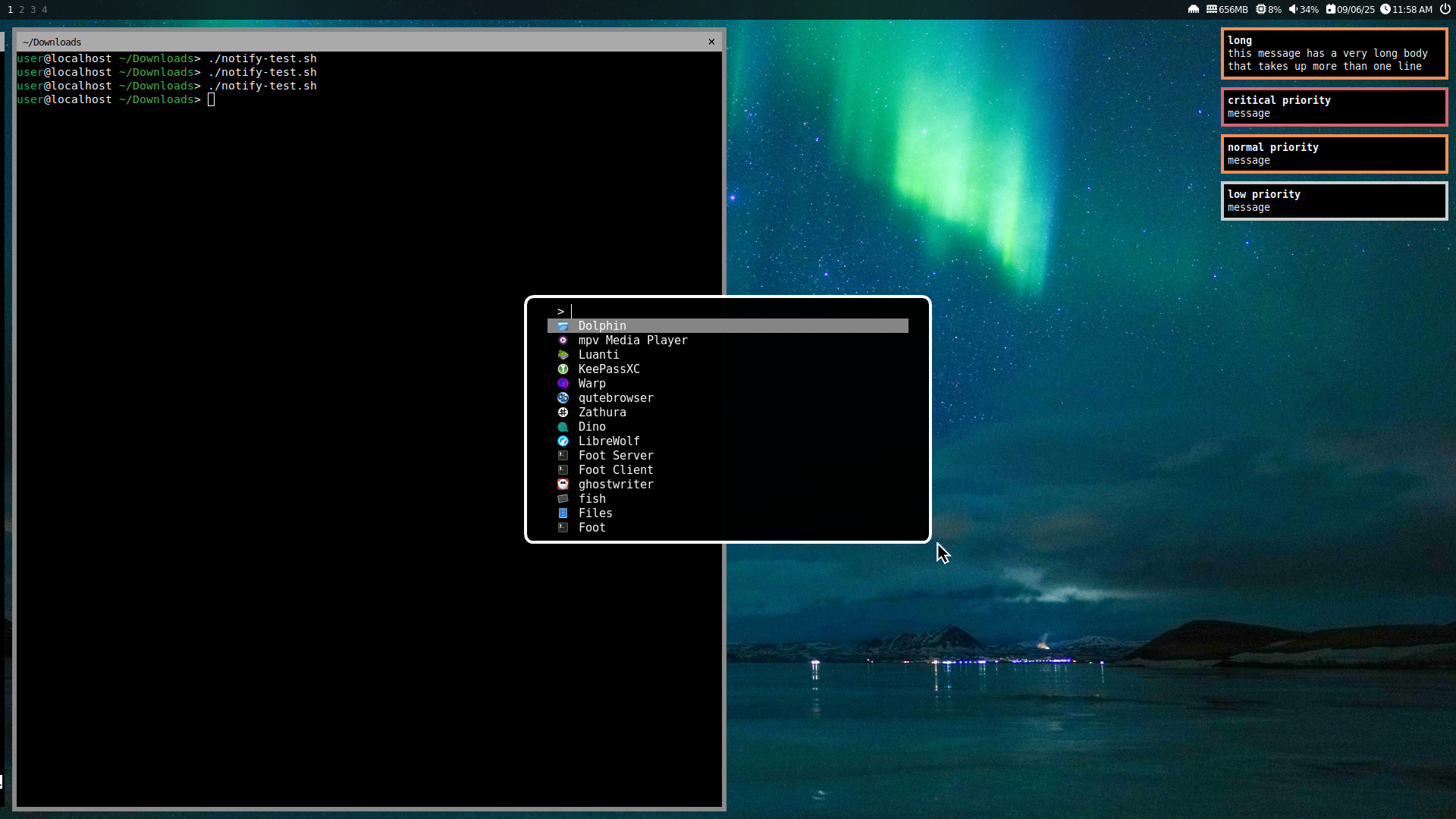
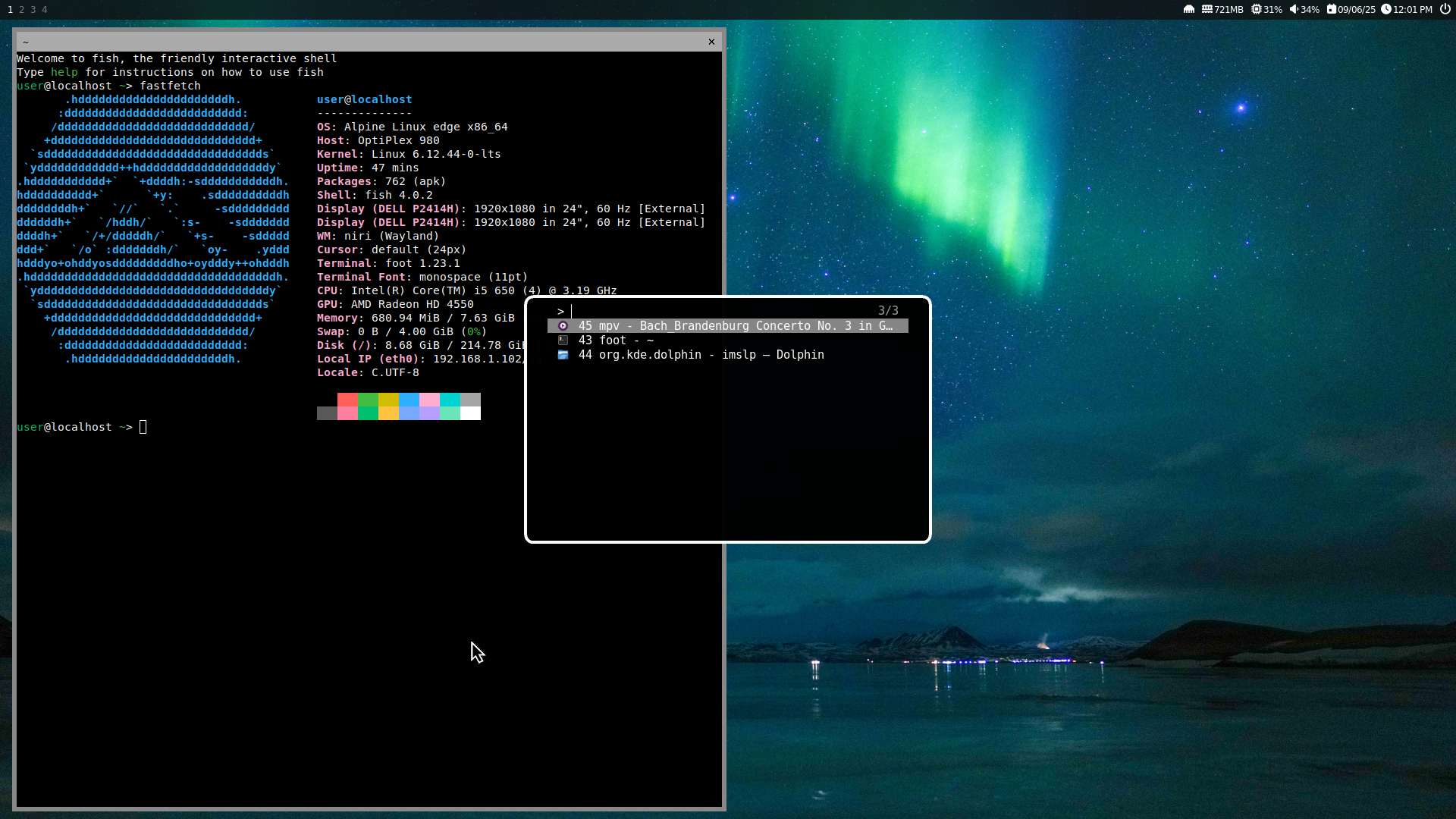
fuzzel came recommended by Niri, and it's good enough for my usage as "an app launcher and window switcher". I'll try more stuff with it, like making some sort of GUI for Flatpak[1].
I wanted to use kitty, but it crashes on Alpine for some reason. However, foot does the job just fine, at a much faster speed. I am considering switching to foot on the devices I use that support kitty, but it's not a definite thing yet.
fish is used as the shell[2]:
swaybg got installed when I (out of laziness) ran "setup-desktop sway" despite me not using sway, so I decided to use it. There's not much to say; it sets a pretty image as the background.
The wallpaper is from Wikimedia Commons:
_Photo_by_Giles_Laurent.jpg)
mako, like a lot of the other programs, came recommended by Niri, so I'm using that. It works well for its job.
Alpine is nice (even for desktops); go try it.
Always do major upgrades in a TTY console, never in something that can log/lock you out.
My config is linked below:
https://codeberg.org/Pixelo789/config
Here's some more screenshots:
[1]: Firstly, I can't browse the Flathub site without JavaScript. Secondly, KDE Discover and GNOME Software are heavily bloated for the job of "search through Flathub". Finally, using the "flatpak" command from the terminal is weirdly not terminal-friendly (i.e. output assumes long row, and it cuts off text with ellipsis instead of wrapping or having something competent).
[2]: I've set fish as the shell in foot, not globally. I think my current *global* shell is Busybox sh, but I'm not sure.