
I'm developing a collection application, under the highly creative name of "Collections". The source code is on Codeberg, as always:
This is a recap of the past week of Collections development.
I tried working on the grid view, as described in last week's summary. However, it was quite difficult, so I put it off and did something else instead.
In lieu of getting the list stuff from data fully working, I instead added a list view and made the view switcher switch between the grid and list views.
I created an issue for working on the GNOME Circle criteria, and improved metainfo.
I worked on the dialog for adding a collection. The dialog let you choose a name and the default template when creating items.
I added the ability to choose colours and icons for the collection.
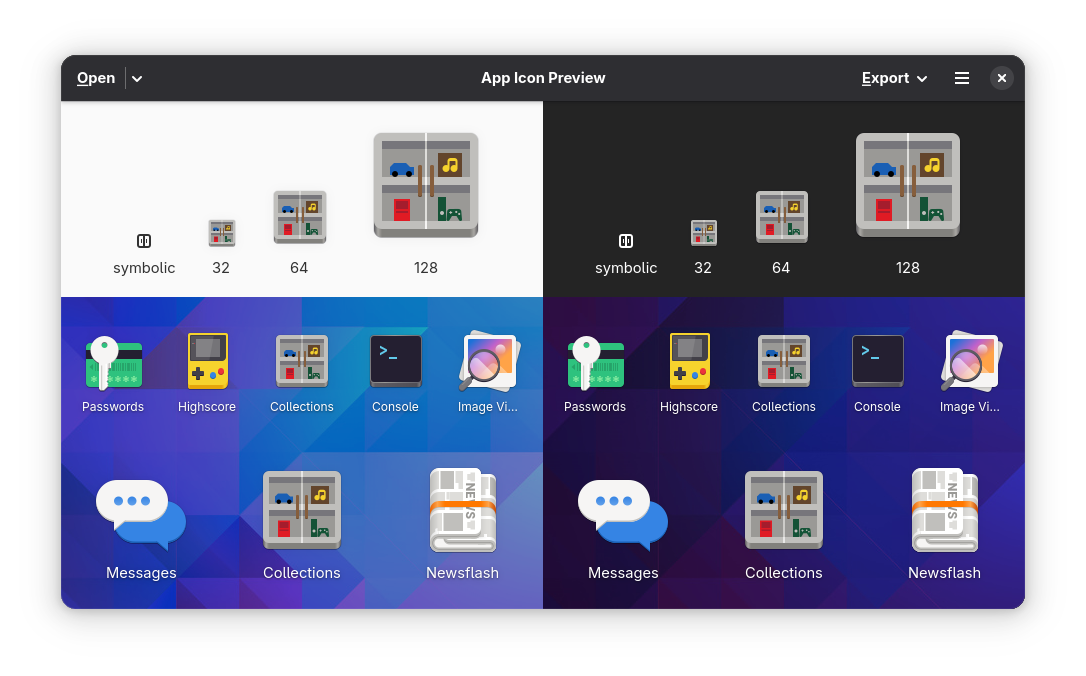
I made an app icon. It looks nice.
I didn't do anything with Collections, as I was focused on something else.
I want to actually get around to getting it into a somewhat usable state next week. I might not prioritise it that much, though.
---
The source code is on Codeberg if you want to go check it out: